
From attendance to payslip, one payroll run you can trust.
Erizon Payroll takes the month's attendance and leave, applies each employee's salary structure and your own statutory rules, and walks the run from draft to paid — with a PDF payslip for everyone at the end.
Salary structures you define
Build pay from fixed, percentage-of-basic and formula components — assigned to each employee with an effective date.
Statutory rules, not hard-coded ones
Tax slabs, flat percentages and wage-capped deductions are set by your admin, so no country's rules are baked in.
Roles for Admin, HR and Employee
Admin owns configuration, HR runs payroll day to day, and employees see only their own payslips, attendance and leave.
The whole payroll cycle, configurable to your rules
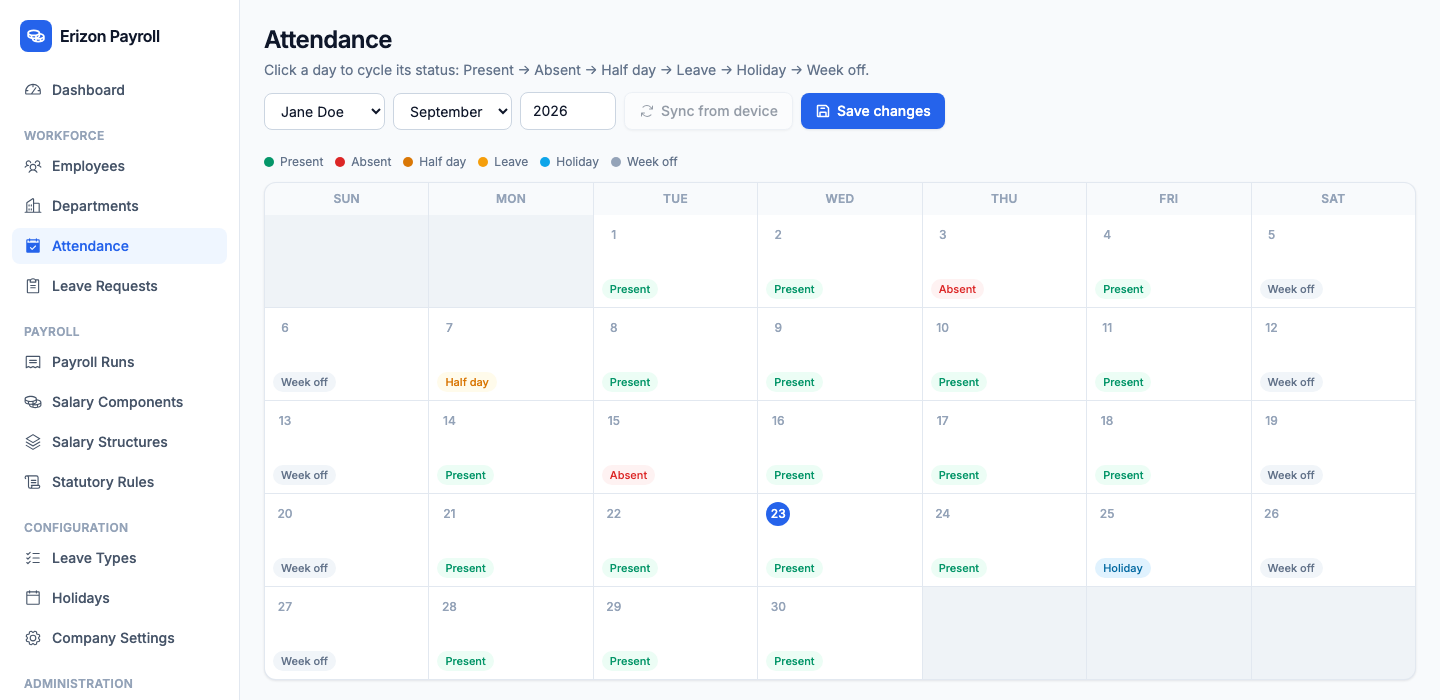
Attendance and leave that feed the payroll
Mark each day as present, absent, half day, leave, holiday or week off on a monthly calendar. Absences and half days reduce payable days, so earnings are pro-rated automatically when the run is computed.
- Click a day to cycle its status
- Present, absent, half day, leave, holiday, week off
- Leave requests, leave types and holidays
- Sync attendance from a device
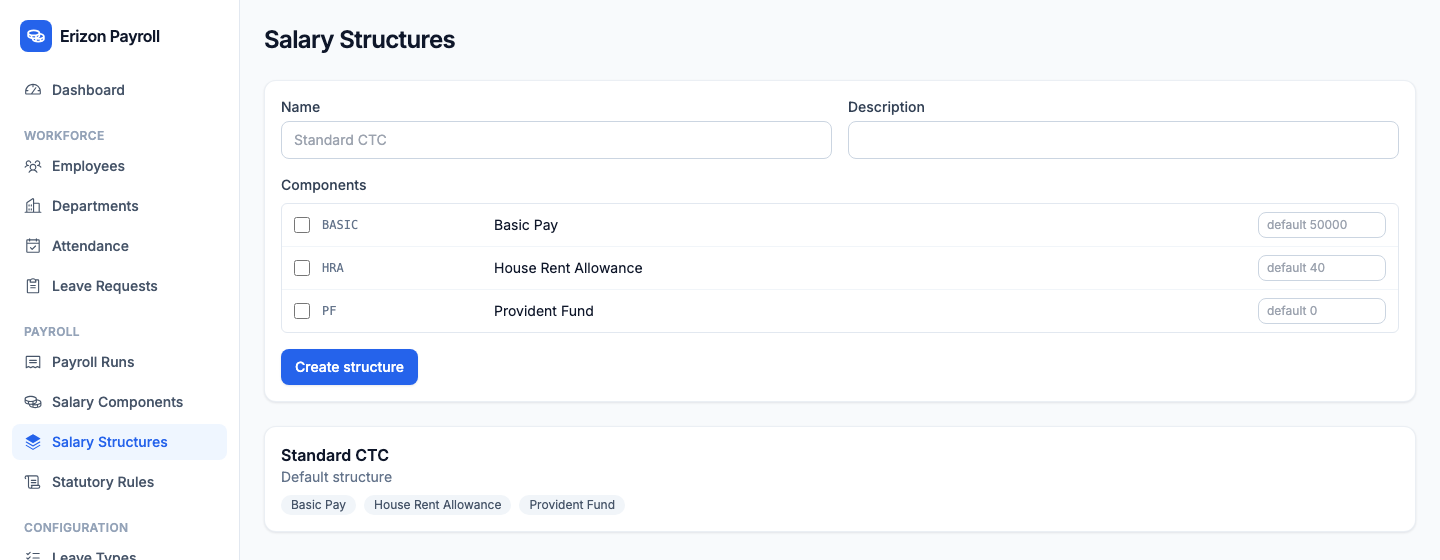
Salary structures built from components
Combine salary components — basic, HRA and more — into a structure. Each component is fixed, a percentage of basic, or a formula referencing other components, evaluated safely with no arbitrary code.
- Fixed, percentage-of-basic and formula components
- Structures assigned with an effective date
- Formulas can reference other component codes
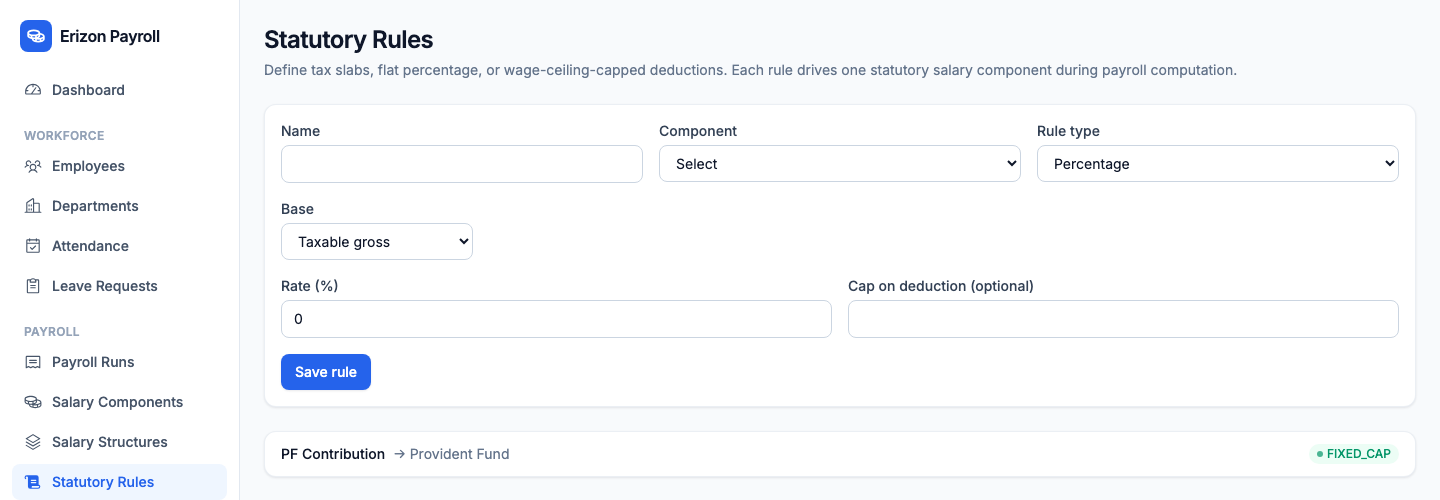
Statutory deductions you configure
Attach statutory rules to a deduction component as a progressive tax slab, a flat percentage, or a percentage capped by a wage ceiling. Everything is admin-configurable and no country's rules are hard-coded.
- Progressive slabs, flat rates, and capped percentages
- Configured by the admin, not by a developer
- Applied automatically when the run is computed
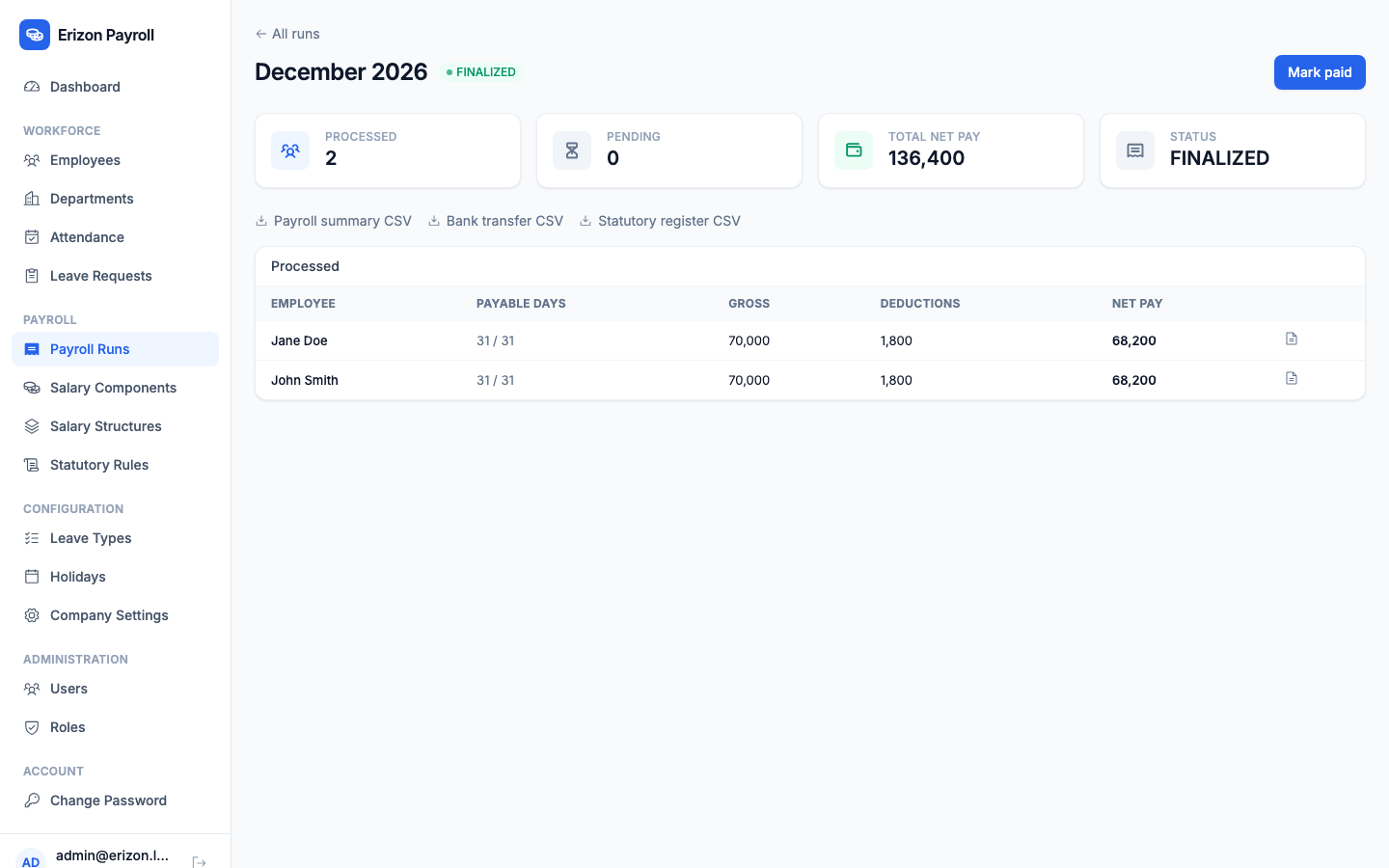
A payroll run with a clear workflow
Each run moves through Draft, Computed, Approved, Finalized and Paid. Finalizing generates a PDF payslip per employee, and the run's detail page exports payroll summary, bank transfer file and statutory register reports as CSV.
- Draft → Computed → Approved → Finalized → Paid
- A full breakdown stored per employee
- PDF payslip for every employee
- CSV reports — payroll summary, bank transfer file, statutory register
Employee self-service
Give an employee a login from their profile and they can see and download their own payslips, check their attendance, and apply for leave — without HR having to send anything.
- Download their own payslips by period
- Apply for leave online
- Login created from the employee's profile

Explore the rest of the Erizon Suite
Ready to see Erizon Payroll on your own workflow?
Book a walkthrough and we'll show you exactly how it maps to how your team already works.